Busy clusters
Start from the full cluster view
This is the reality in large shared environments: a long topic list, lots of unrelated domains, and too much visual noise when you are trying to focus on one investigation.
When your cluster has hundreds or thousands of topics, topic discovery becomes a tax on every investigation. Kafka Streamyard gives you fast filtering, saved topic presets, reusable combinations, and an AI-assisted Topic Filter Builder so you can stay focused on the topics that are relevant right now.
Topic list on left size of screen: start from a crowded topic list, narrow quickly with simple text, jump straight into saved filters, and move into the builder when you want reusable logic, connection tags, or AI help.
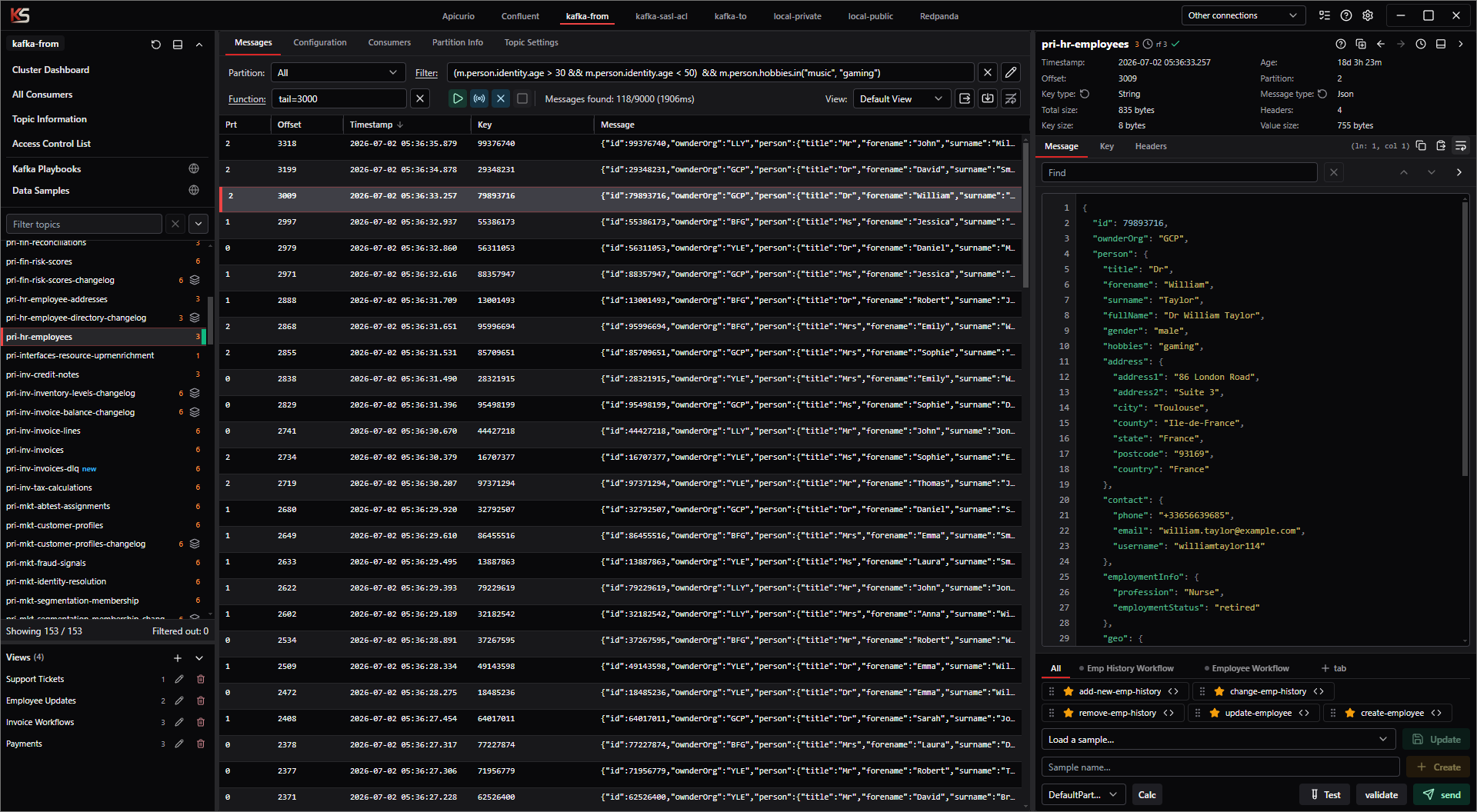
This is the reality in large shared environments: a long topic list, lots of unrelated domains, and too much visual noise when you are trying to focus on one investigation.
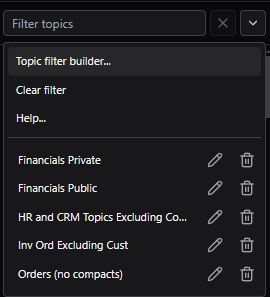
The filter dropdown sits right on the Topic List, so it is the fastest entry point into the whole organization workflow: open Topic filter builder..., clear the current filter, open help, or jump directly into saved presets.
That matters in large clusters because the best filter is often the one you can reach in one click, not the one you have to remember how to type again.
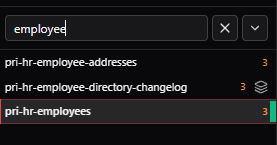
Start with something as small as employee. In big clusters, even a rough first pass can remove most of the noise and immediately put the relevant HR topics in front of you.
From there you can refine further with exclusions like employee and not changelog when you want the operational topics but not the surrounding noise.
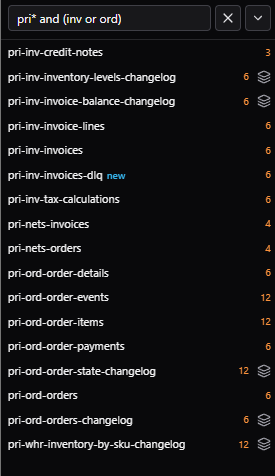
The same Topic List input also supports more complex filtering syntax directly. In other words, you are not limited to plain text there: you can use the same filter language that the Filter Builder works with when you want richer boolean logic.
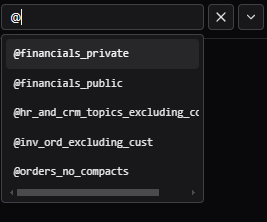
@ to show saved filters immediatelyOnce you start saving filters, typing @ immediately brings up the saved filters for that connection. That makes it very fast to reference or insert the topic slices you already use every day.
Connection tags make this even better. You can share the same filter across connections with similar topic lists, such as staging and prod, without mixing in presets that only make sense somewhere else.
Once a filter becomes useful, save it. Then you can combine saved slices later instead of rebuilding them from memory. Expressions such as @hr_employees or @crm_people turn topic filtering from ad hoc searching into a real organization system.
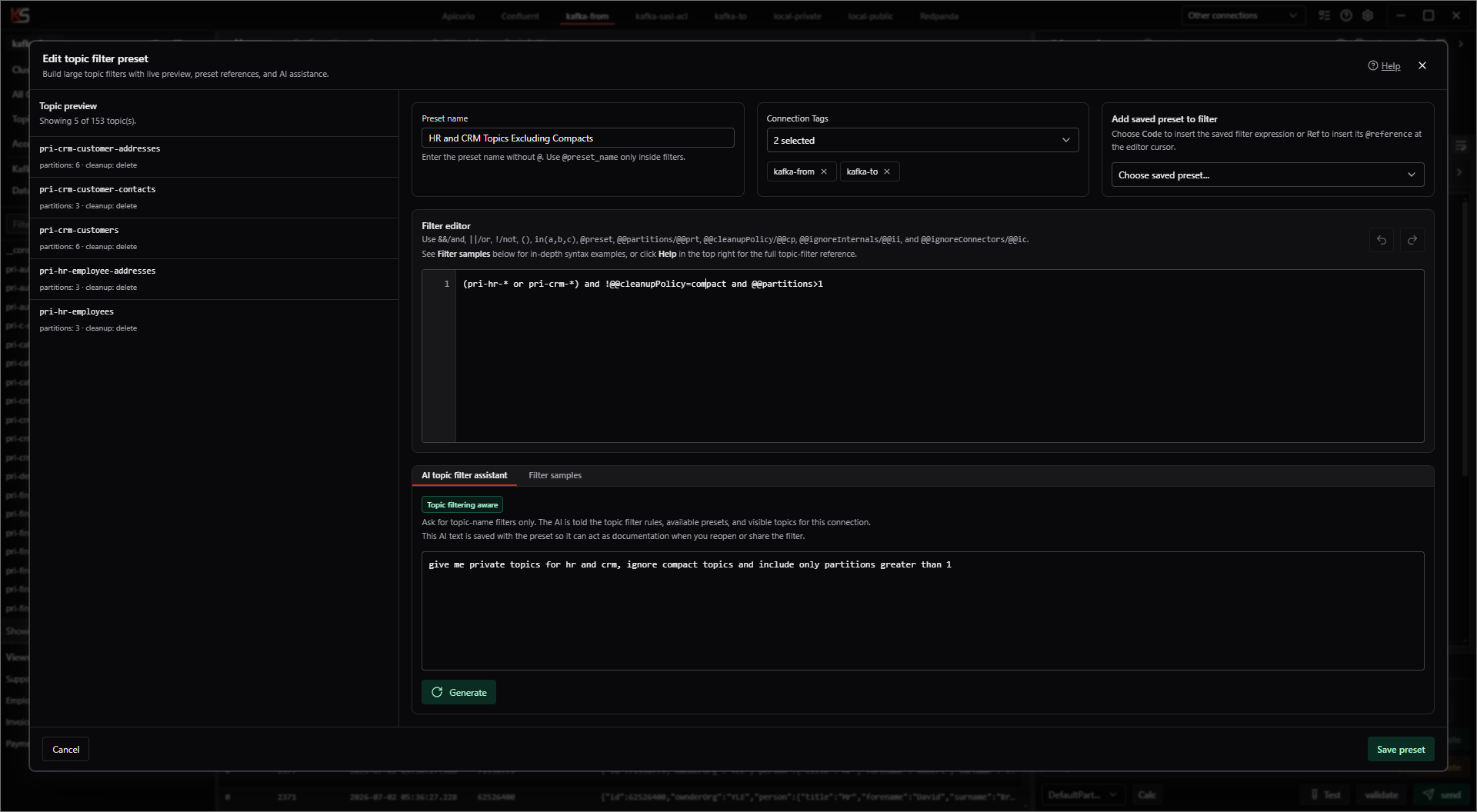
The modal gives you a live topic preview on the left and the working filter on the right, along with preset naming, connection tags, saved preset insertion, and room to build expressions that go well beyond one-word search.
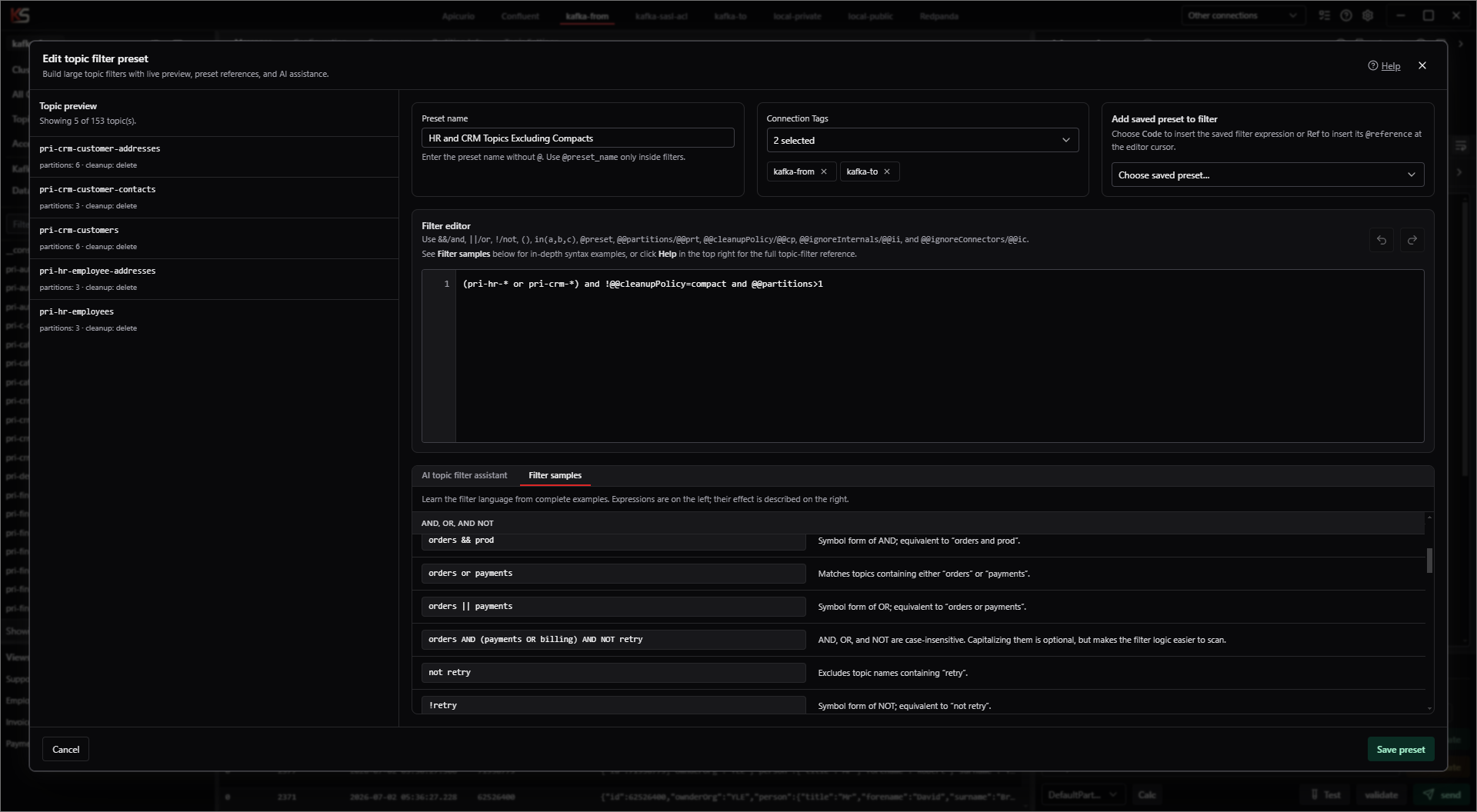
The AI box helps when you know the outcome you want but do not want to recall every syntax detail immediately. The Samples tab is the perfect companion when you want concrete filter patterns you can copy, adapt, and save.
employeeInstantly narrows the list to employee-related topics like pri-hr-employees and pri-hr-employee-addresses.
employee and not changelogUseful when you want employee topics but not the changelog topics that clutter the same area of the cluster.
@hr_employees or @crm_peopleCombines reusable saved filters so you can hop directly into a broader work context without rewriting the logic.
(inv or ord) and !@@cp=compact and !custShows how boolean grouping, metadata aliases, and precise exclusions work together when your topic naming conventions are messier.
In large Kafka estates, better topic filtering directly improves debugging speed, manual testing flow, and your ability to keep the right context in front of you. Kafka Streamyard is built to make that everyday work feel lighter.