KafkaStreamyard
Your powerful Kafka data toolkit
Finally something that isn't an MVP let down.
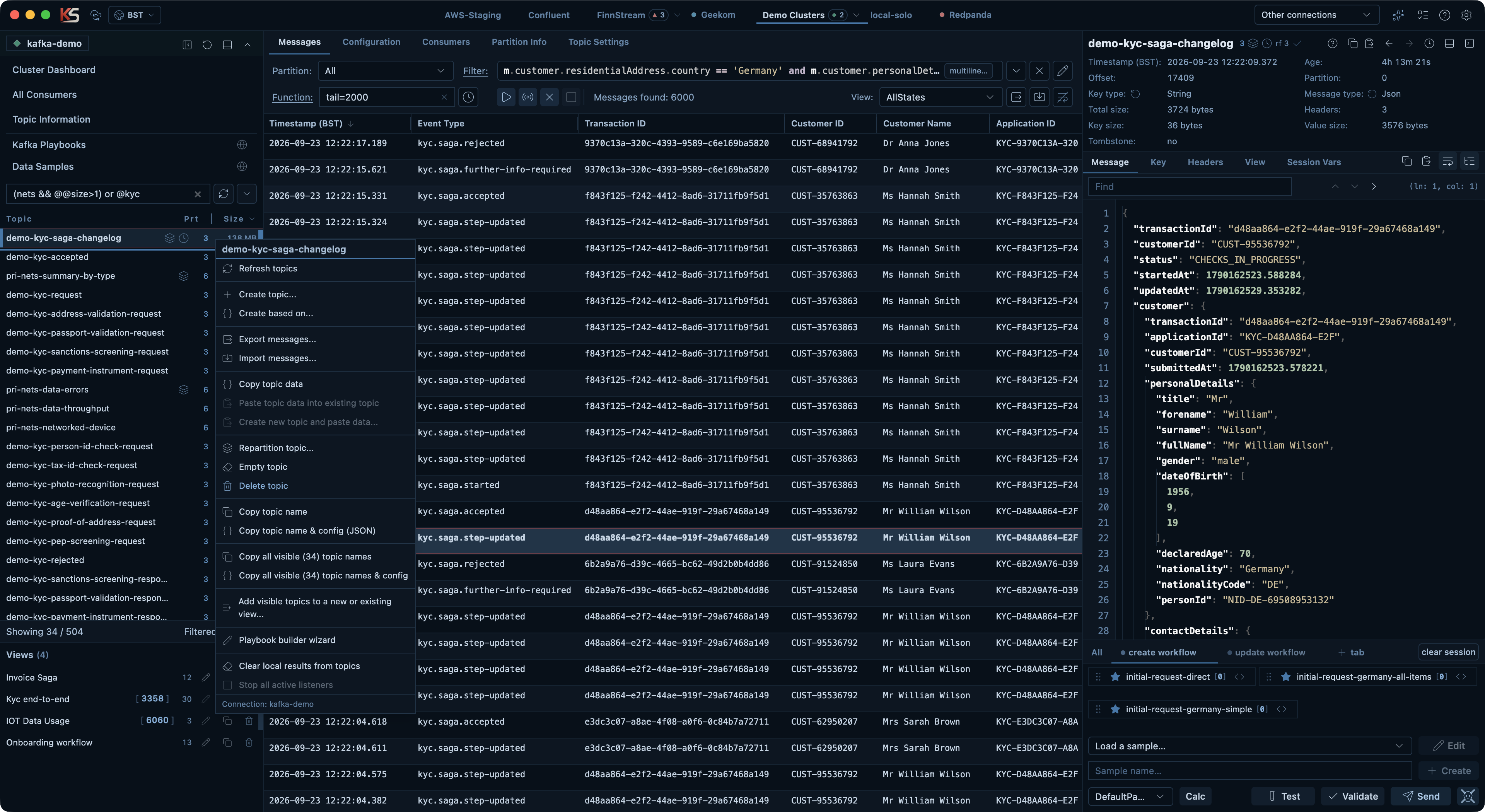
Stream, filter, inspect, reconstruct, test, copy, and manage Kafka data at scale with a tool built for engineers and testers who need to understand what happened across real application flows.
A fast way to work at the data layer
Investigate live or historical flows, filter JSON and XML, carry saved working data between computers, and turn real messages into repeatable tests.
Edit and resend real messages fast
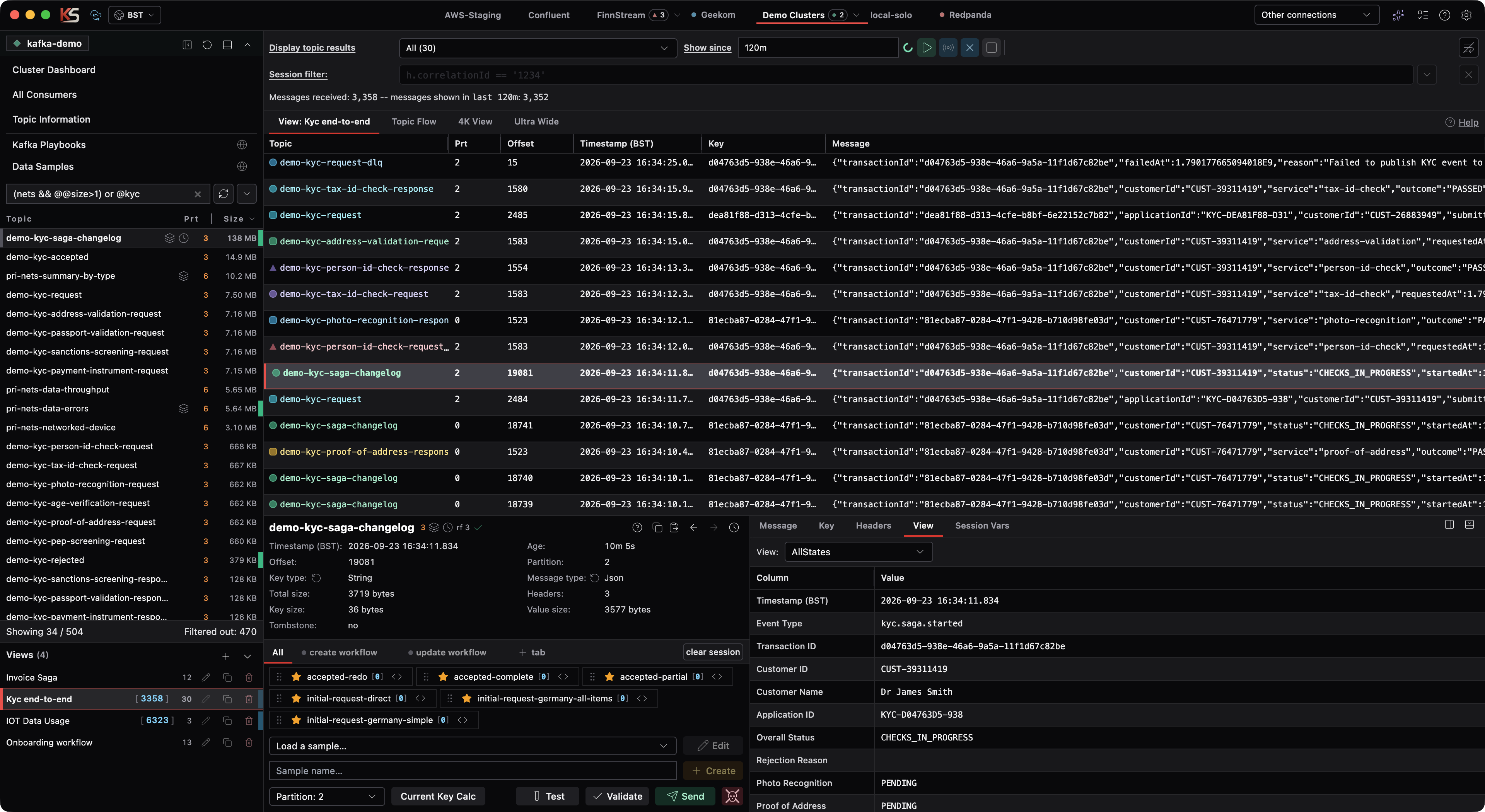
Inspect and carefully edit real messages, save them into favorite tabs in workflow order, and resend them to a topic. Session variables can generate correlation IDs and set other shared data across a workflow, keeping manual testing and retesting fast, repeatable, and controlled.
Reconstruct cross-topic journeys
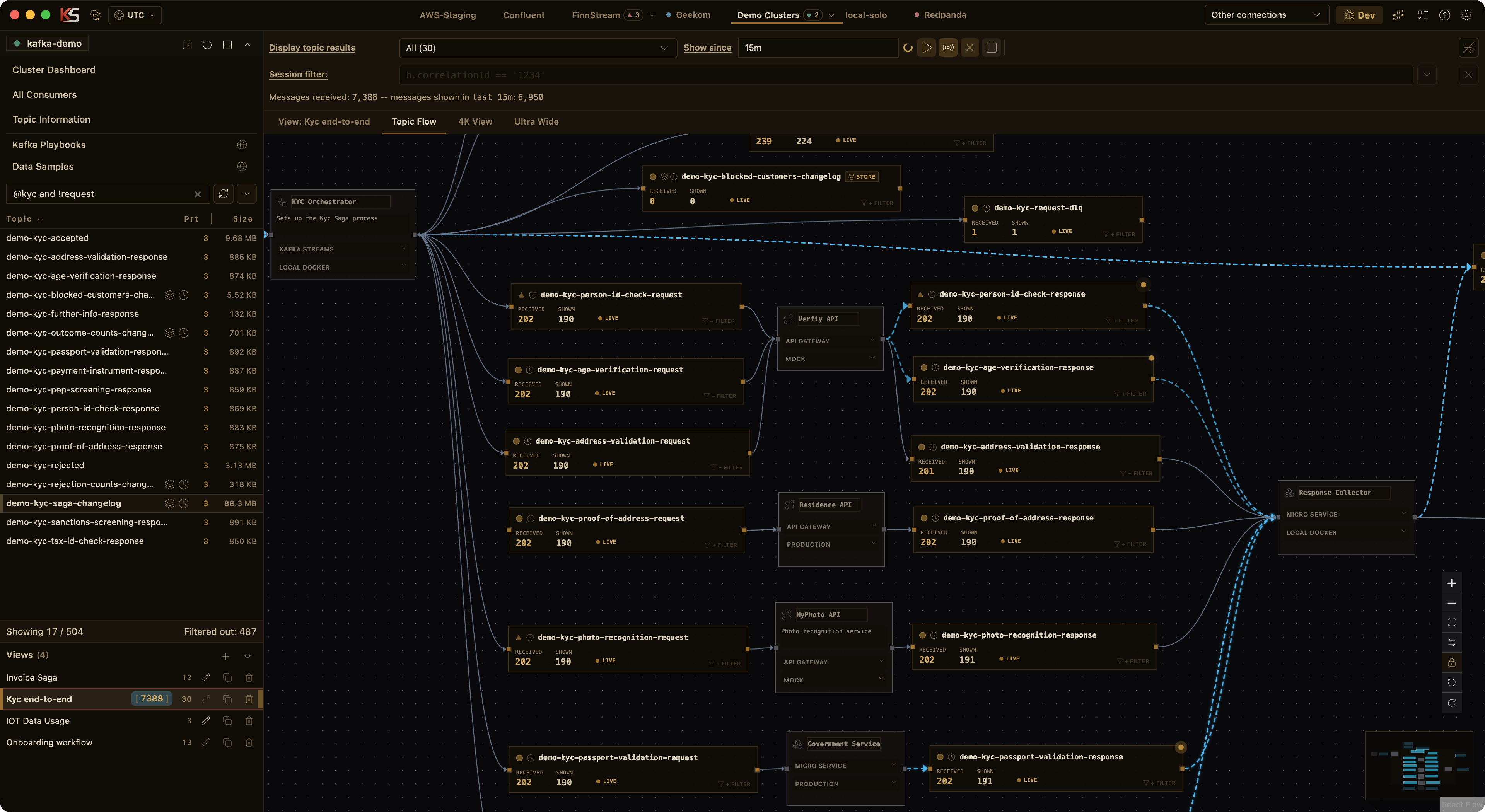
Combine up to 30 topics into one chronological live timeline, or replay a precise historical window for incident investigation and forensic analysis. Tested per-topic filters, a temporary Session filter, and the activity-aware Flow Chart help reveal the journey through the wider process.
Focus on the records that matter
Use powerful Streamyard Language filters without learning the syntax—AI Assist builds them for JSON, XML, keys, headers, and metadata. Test, save, and reuse cloud-synced filters across topics and environments.
Carry your saved Kafka workflow with you
Synchronize filter presets and valid history, custom result views, playbooks, samples, folders, and Live Views through Bunny Storage. Move between computers without rebuilding your investigation toolkit, while connections and credentials remain local.
Work with structured payloads end to end
Filter deeply nested or namespaced XML with the same SL experience used for JSON, inspect colorized payloads, build columns from structured fields, and preserve XML text through JSON or NDJSON envelopes and raw XML import/export.
Keep investigation context
Keep persisted playback data visible on topics so your investigation context is still there after reconnects and restarts. Open popout windows on the same connection and switch views instantly without losing what is already in front of you.
Create complex samples for reliability tests
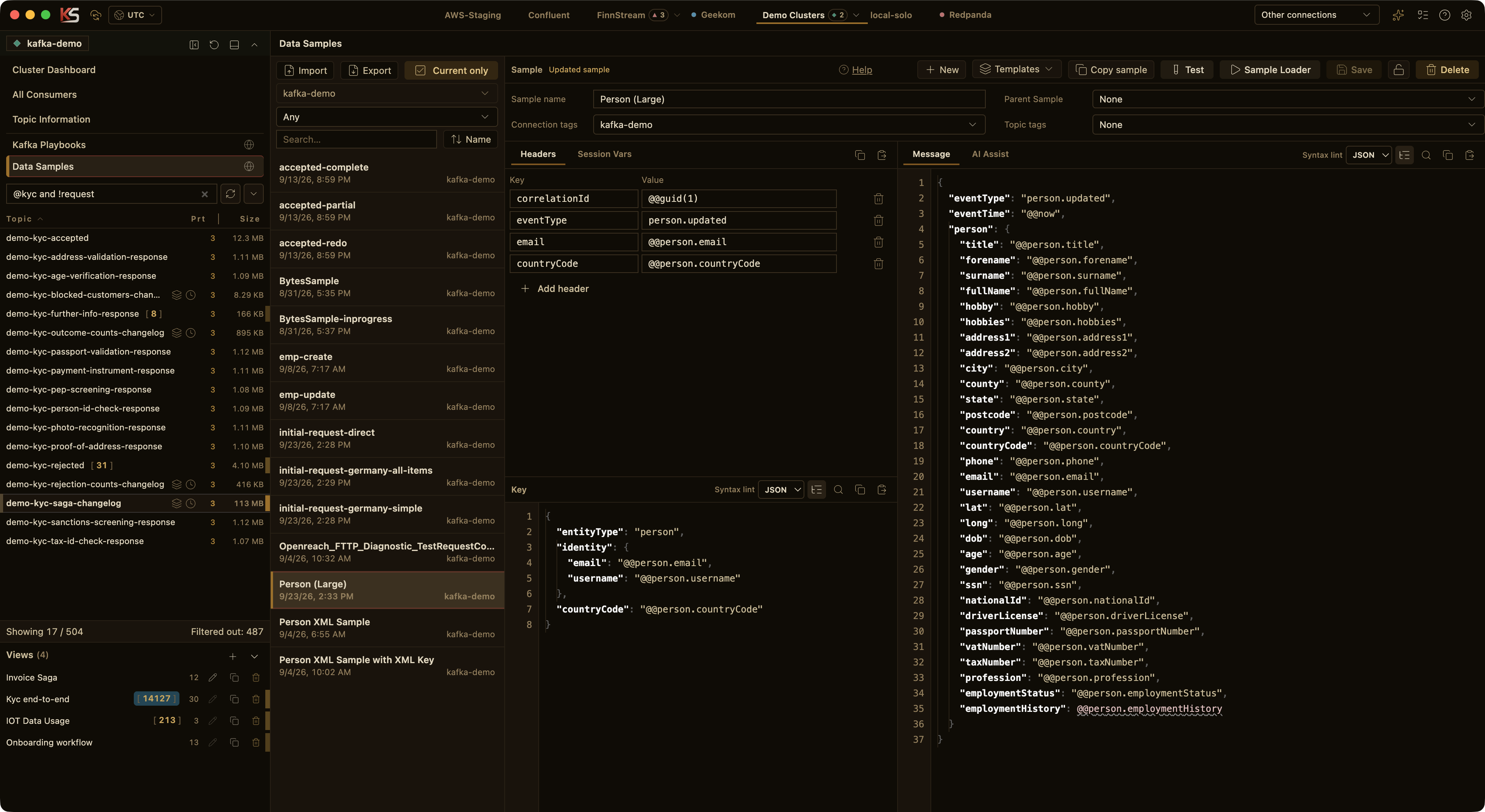
Build reusable payload samples with business-style data patterns so realistic manual testing is faster to set up and repeat, then play them back in different ways and quantities across topics.
Run repeatable workflow scripts
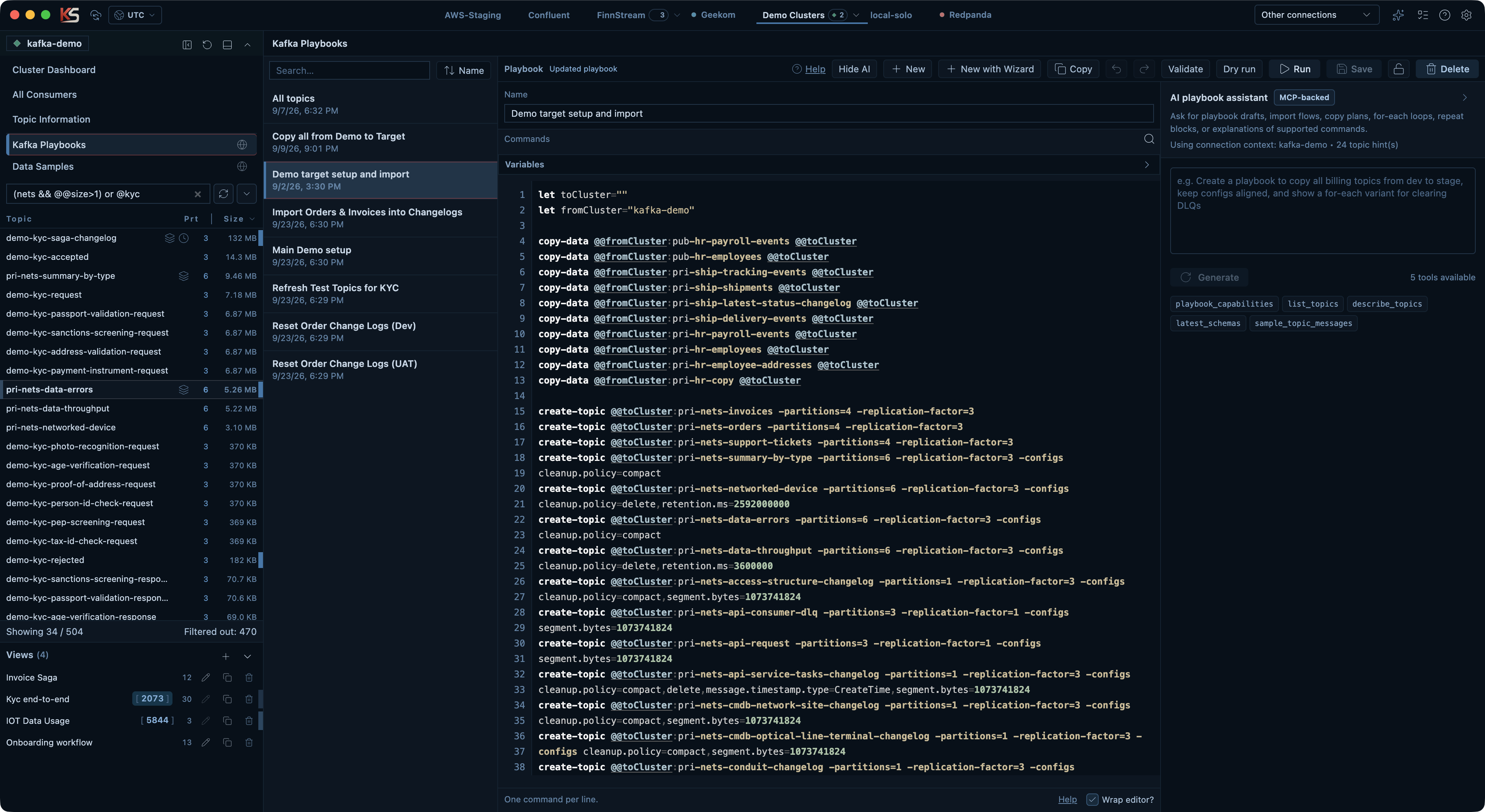
Use playbooks for setup, reset, import, copy, and environment workflows whether you are running local tests or working in large shared environments with your own topics.